Skip to product information
1 of 1
🏷️ Save up to 80% on all courses, discount auto applied

Online School "Exocad from A to Z"

Online School "Exocad from A to Z"

Regular price $87.00 USD
Regular price $400.00 USD Sale price $87.00 USD
Sale Sold out
Shipping calculated at checkout.
Girl in a jacket

Instant Download

Your unique course download link appears right after you complete your purchase, and is also sent instantly to the email address you provided.

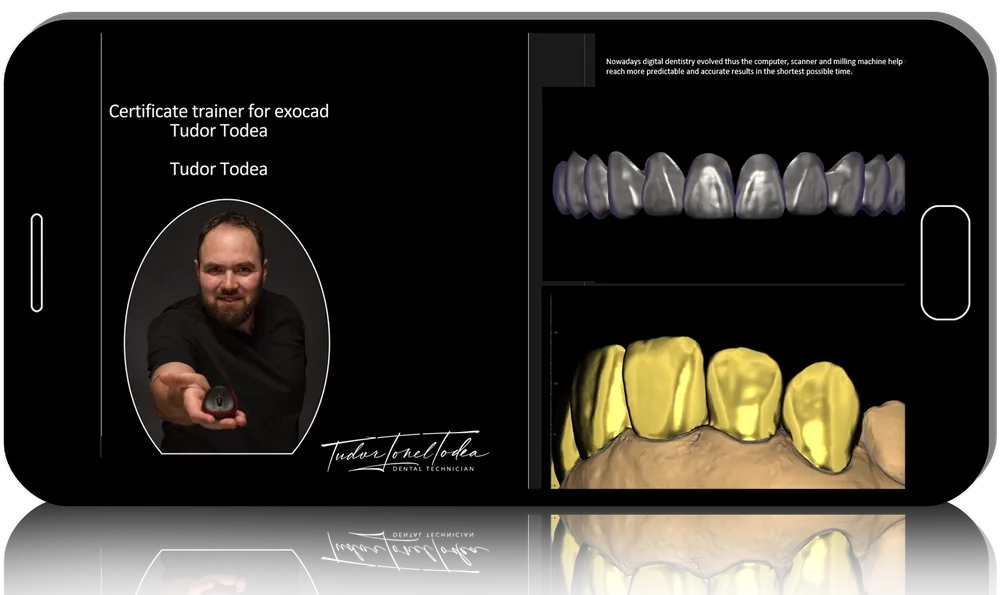
Professors

Target audience

General dentists; Dental technicians

Nb of lessons

8

Nb of modules

Course duration

13 h

Delivery method

Google Drive Link, Offline

Course Overview

In this course, you will learn how to design dental prosthesis using Exocad.

After this training, you will be able to:

  • Design fixed restorations on natural teeth: anatomical and telescopic crowns, bridges, inlays, veneers
  • Design individual abutments; bar constructions and other suprastructures for prosthetics on implants
  • Do Digital smile design using a photo
  • Design occlusal splints in a digital protocol using a virtual articulator.

The course completely covers all the issues of creating common prosthetic units and is intended for:

  • Dentists and dental technicians
  • Experienced and junior Exocad users.

Full Course Program

Lesson 1 - Exocad: modules, advantages, setting

Lesson program:

  • General review
  • Modules
  • Compatibility with other programs
  • Exocad features. Work algorithms
  • Output for printing or milling
  • How to make an order
  • How to add a new STL-file in exocad in expert mode
  • Virtual articulator
  • How to create a new STL-file and do whatever you want with it.

Duration: 1 h 39 min

Lesson 2 - Designing onlays, crowns and bridges in Exocad

Lesson program:

  • Anatomical crowns
  • Simple and anatomical caps
  • Inlays and onlays
  • Press over zirconia crown
  • How to add a pontic
  • How to make a bridge with reduce module.

Duration: 1 h 31 min

Lesson 3 - Bridge frames and frames based on wax models, veneers

Lesson program:

  • A 4-units frontal bridge with a reduced crown module
  • Virtual articulator
  • Output for printing or milling
  • How to add a new STL-file in Exocad in expert mod

Duration: 1 h 22 min

Lesson 4 - Occlusal splint design in Exocad

Lesson program:

  • How to make a correct order for a bite splint
  • Virtual wax-up bottom
  • Virtual articulator
  • The movements in the virtual articulator
  • The thickness of the splint.

Duration: 1 h 30 min

Lesson 5 - Telescopic crowns and overstructure above telescope with anatomic Wax

Up

Lesson program:

  • How to put an implant library in Exocad
  • How to make a correct order for telescopic crowns
  • How to reduce a structure guided by wax-up
  • Cement gap
  • How to align the mesh
  • Space for acrylic retention
  • How to concept a telescopic crown.

Duration: 1 h 48 min

Lesson 6 - Individual abutments design in Exocad

Lesson program:

  • How to make an order for abutment and crown
  • How to copy or mirror a teeth to have the same margin line for the next hybrid abutment.
  • The importance of emergence profile and submergence
  • How to use a preop to make a correct hybrid abutment
  • One step hybrid abutment and crown
  • How to make a premill abutment.

Duration: 1 h 39 min

Lesson 7 - TruSmile Exocad module - Smile Design

Lesson program:

  • How to upload a photo
  • Aligning a photo
  • Smile Lines
  • How to make a wax-up guided by smile lines
  • How to make a model.

Duration: 1 h 30 min

Lesson 8 - Bar and overstructure above design in Exocad

Lesson program:

  • How to make an order for the bar
  • Creating a bar
  • Changing the segment of the bar
  • Use of a preop for bar
  • How to add an attachment
  • How to make an overstructure by reduced wax-up
  • How to add wax-up scans in a wizard.

Duration: 1 h 33 min

View full details