Instant Download
Your unique course download link appears right after you complete your purchase, and is also sent instantly to the email address you provided.
Couldn't load pickup availability

Your unique course download link appears right after you complete your purchase, and is also sent instantly to the email address you provided.
Matt Hicks
25
2
2 h
Google Drive Link, Offline
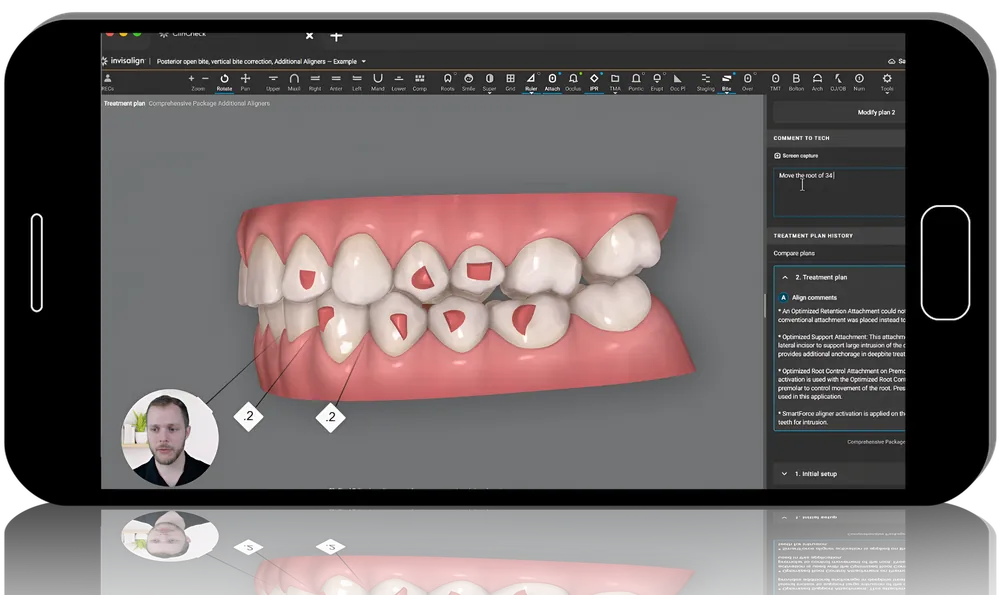
Spear Clincheck: Fundamentals Maximizing Tools and 3D Controls for Invisalign Treatment Planning
In this course, Dr. Marta Baird shares valuable insights on streamlining treatment planning with the ClinCheck® Pro 6.0 software and its 3D controls. By leveraging these features, doctors can make their treatment planning process more efficient and accurate. The course introduces an innovative solution that empowers doctors to take control, instantly modify ClinCheck plans, and see real-time adjustments in tooth positions. This will help build clinical confidence, refine treatment plans, eliminate the ambiguity in clinical judgment, and reduce the need for written comments to the CAD designers.
Learning objectives for this course:
Lessons:1: Patient Menu2: Records3: Views Tool4: Roots Tool5: Smile Simulation, Restorative, and Mass Analysis6: Superimposition7: Grid Tool8: Ruler Tool9: Attachments, Occlusion, and IPR10: TMA Tool11: Pontics and Eruption Compensation12: Staging13: Tooth Movement Table14: Bolton Analysis15: Arch Width Table16: Overjet and Overbite Table17: Sidebar18: Other Tools19: Doctor Menu
Lessons:1: Introduction to 3D Controls2: Modifying 3D Controls3: Customizing Tooth Movement4: Details and Attachments5: Smile Architect Patient Example6: Invisalign Practice App