Instant Download
Your unique download link appears right after you complete your purchase, and is also sent instantly to the email address you provided.
Couldn't load pickup availability
Your unique download link appears right after you complete your purchase, and is also sent instantly to the email address you provided.
By Nate Farley
duration: 4 h 41 min
1 professor
discount 96%%
$481 savings
<div class="course-lessons">
<p>Lesson 1. Introduction</p>
<hr>
<p>Lesson 2. Setting up Meshmixer</p>
<hr>
<p>Lesson 3. Meshmixer tools we'll be using for the course</p>
<hr>
<p>Lesson 4. Adding STL files into Blue Sky Plan (Slides)</p>
<hr>
<p>Lesson 5. Adding STL files into Blue Sky Plan (Video)</p>
<hr>
<p>Lesson 6. Bone segmentation (Slides)</p>
<hr>
<p>Lesson 7. Bone segmentation (Video)</p>
<hr>
<p>Lesson 8. Designing the tooth setup in Meshmixer (Slides)</p>
<hr>
<p>Lesson 9. Designing the tooth setup in Meshmixer (Video)</p>
<hr>
<p>Lesson 10. Tips for implant placement (Slides)</p>
<hr>
<p>Lesson 11. Tips for implant placement (Video)</p>
<hr>
<p>Lesson 12. Initial bone reduction (Slides)</p>
<hr>
<p>Lesson 13. Initial bone reduction (Videos)</p>
<hr>
<p>Lesson 14. Making the surgical guide (Slides)</p>
<hr>
<p>Lesson 15. Making the surgical guide (Videos)</p>
<hr>
<p>Lesson 16. Sectioning the guide (Slides)</p>
<hr>
<p>Lesson 17. Sectioning the guide (Video)</p>
<hr>
<p>Lesson 18. Fixing some holes (Slides)</p>
<hr>
<p>Lesson 19. Fixing some holes (Video)</p>
<hr>
<p>Lesson 20. Creating the hybrid base (Slides)</p>
<hr>
<p>Lesson 21. Creating the hybrid base (Video)</p>
<hr>
<p>Lesson 22. Adding supports to the hybrid (Slides)</p>
<hr>
<p>Lesson 23. Adding supports to the hybrid (Video)</p>
<hr>
<p>Lesson 24. Making the holes for the cylinders (Slides)</p>
<hr>
<p>Lesson 25. Making the holes for the cylinders (Video)</p>
<hr>
<p>Lesson 26. Creating the pin guide (Slides)</p>
<hr>
<p>Lesson 27. Creating the pin guide (Video)</p>
<hr>
<p>Lesson 28. STACKABLE GUIDE EXTRA-Adding pins (Slides)</p>
<hr>
<p>Lesson 29. STACKABLE GUIDE EXTRA-Adding pins (Video)</p>
</div>
instant access right after payment
access is not limited in time

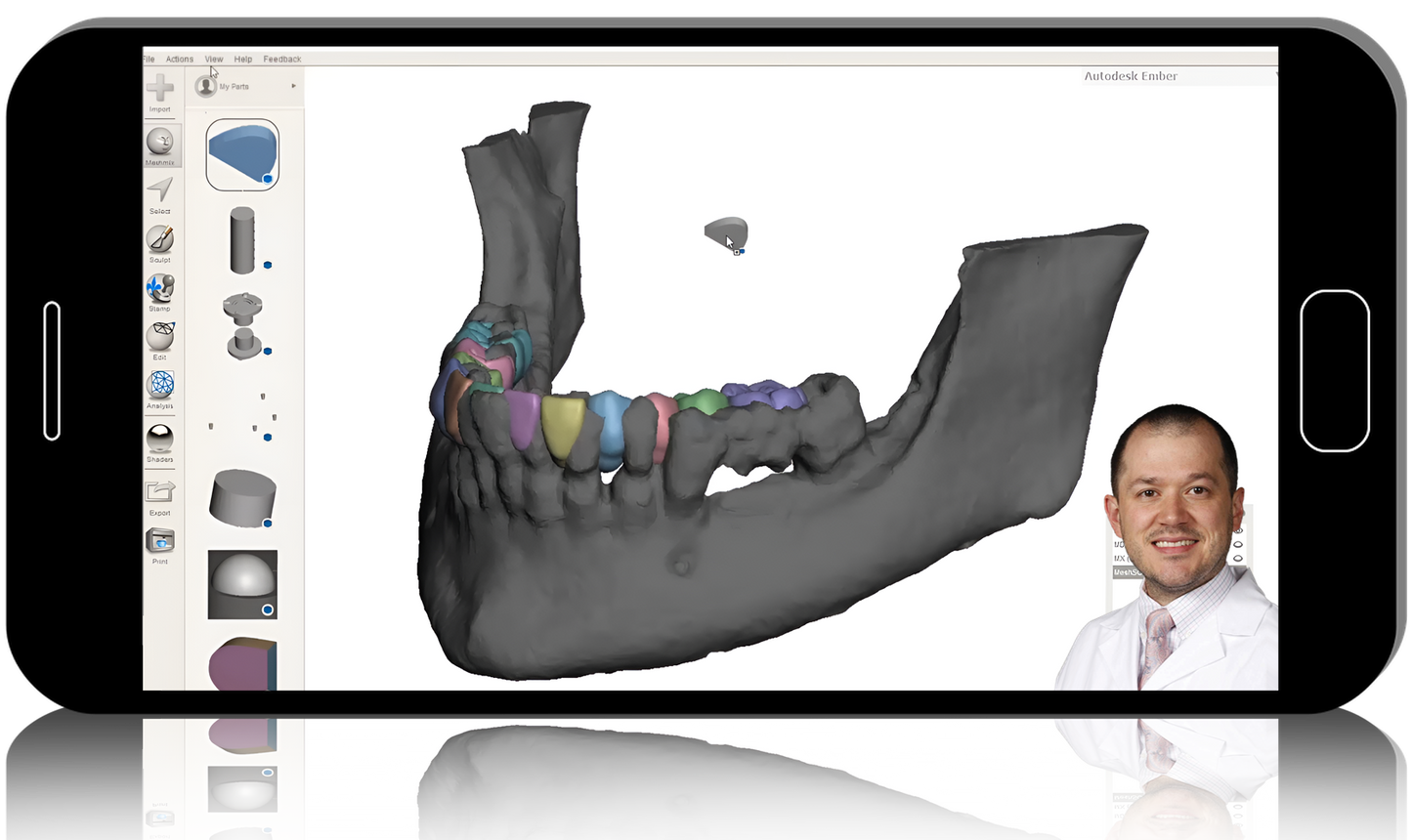
Thousands are using Blue Sky Plan in their practice to plan and place dental implants. For 1-3 units, the workflow is very straightforward and easy, but many want to do more than the software can do. This course dives into Blue Sky Plan and free 3D editing software (Meshmixer by AutoDesk) to tackle full arch cases.Due to patents on "stackable" guides, this course teaches the full arch solution using a series of guides that each have a specific purpose-one guide for each purpose. For those outside the USA taking the course, you don't have the same restrictions as long as you aren't shipping the guides into the USA. There is an extra video for you that explains one extra step you will need.Notes:1. This is an advanced course in Blue Sky Plan and Meshmixer. Anyone is welcome, but without previous experience with both, it might be challenging to keep up.2. You will need to download and install these two programs on a computer with enough hardware power to complete some complex tools (e.g. closing large holes, make solid, boolean reduction, etc.). Therefore, we highly recommend some minimum hardware requirements (if you don't want your computer holding you back):3. 16 GB RAM4. 4 GB (or more) dedicated graphics card5. Solid State Drive (SSD) are great for saving and opening these cases quickly6. Windows PCs tend to be better than Apple computers for this stuffCourse Objectives:Input the right diagnostic information into Blue Sky PlanUse Meshmixer to virtually wax a full arch prothesisFabricate a full arch guide in Blue Sky PlanEdit the guide in Meshmixer to provide guided bone reduction
<div class="course-lessons">
<p>Lesson 1. Introduction</p>
<hr>
<p>Lesson 2. Setting up Meshmixer</p>
<hr>
<p>Lesson 3. Meshmixer tools we'll be using for the course</p>
<hr>
<p>Lesson 4. Adding STL files into Blue Sky Plan (Slides)</p>
<hr>
<p>Lesson 5. Adding STL files into Blue Sky Plan (Video)</p>
<hr>
<p>Lesson 6. Bone segmentation (Slides)</p>
<hr>
<p>Lesson 7. Bone segmentation (Video)</p>
<hr>
<p>Lesson 8. Designing the tooth setup in Meshmixer (Slides)</p>
<hr>
<p>Lesson 9. Designing the tooth setup in Meshmixer (Video)</p>
<hr>
<p>Lesson 10. Tips for implant placement (Slides)</p>
<hr>
<p>Lesson 11. Tips for implant placement (Video)</p>
<hr>
<p>Lesson 12. Initial bone reduction (Slides)</p>
<hr>
<p>Lesson 13. Initial bone reduction (Videos)</p>
<hr>
<p>Lesson 14. Making the surgical guide (Slides)</p>
<hr>
<p>Lesson 15. Making the surgical guide (Videos)</p>
<hr>
<p>Lesson 16. Sectioning the guide (Slides)</p>
<hr>
<p>Lesson 17. Sectioning the guide (Video)</p>
<hr>
<p>Lesson 18. Fixing some holes (Slides)</p>
<hr>
<p>Lesson 19. Fixing some holes (Video)</p>
<hr>
<p>Lesson 20. Creating the hybrid base (Slides)</p>
<hr>
<p>Lesson 21. Creating the hybrid base (Video)</p>
<hr>
<p>Lesson 22. Adding supports to the hybrid (Slides)</p>
<hr>
<p>Lesson 23. Adding supports to the hybrid (Video)</p>
<hr>
<p>Lesson 24. Making the holes for the cylinders (Slides)</p>
<hr>
<p>Lesson 25. Making the holes for the cylinders (Video)</p>
<hr>
<p>Lesson 26. Creating the pin guide (Slides)</p>
<hr>
<p>Lesson 27. Creating the pin guide (Video)</p>
<hr>
<p>Lesson 28. STACKABLE GUIDE EXTRA-Adding pins (Slides)</p>
<hr>
<p>Lesson 29. STACKABLE GUIDE EXTRA-Adding pins (Video)</p>
</div>